Early access

Trimcraft

HOTAS & cockpit toolkit for flight and space sims

Turn your HOTAS into a smart cockpit: virtual radios, modes and switches, macros, vJoy output, Discord/Soundpad control and a click-through in-game overlay.

Latest release Free & open source (GPL-3.0) Windows 10/11, Linux and macOS planned

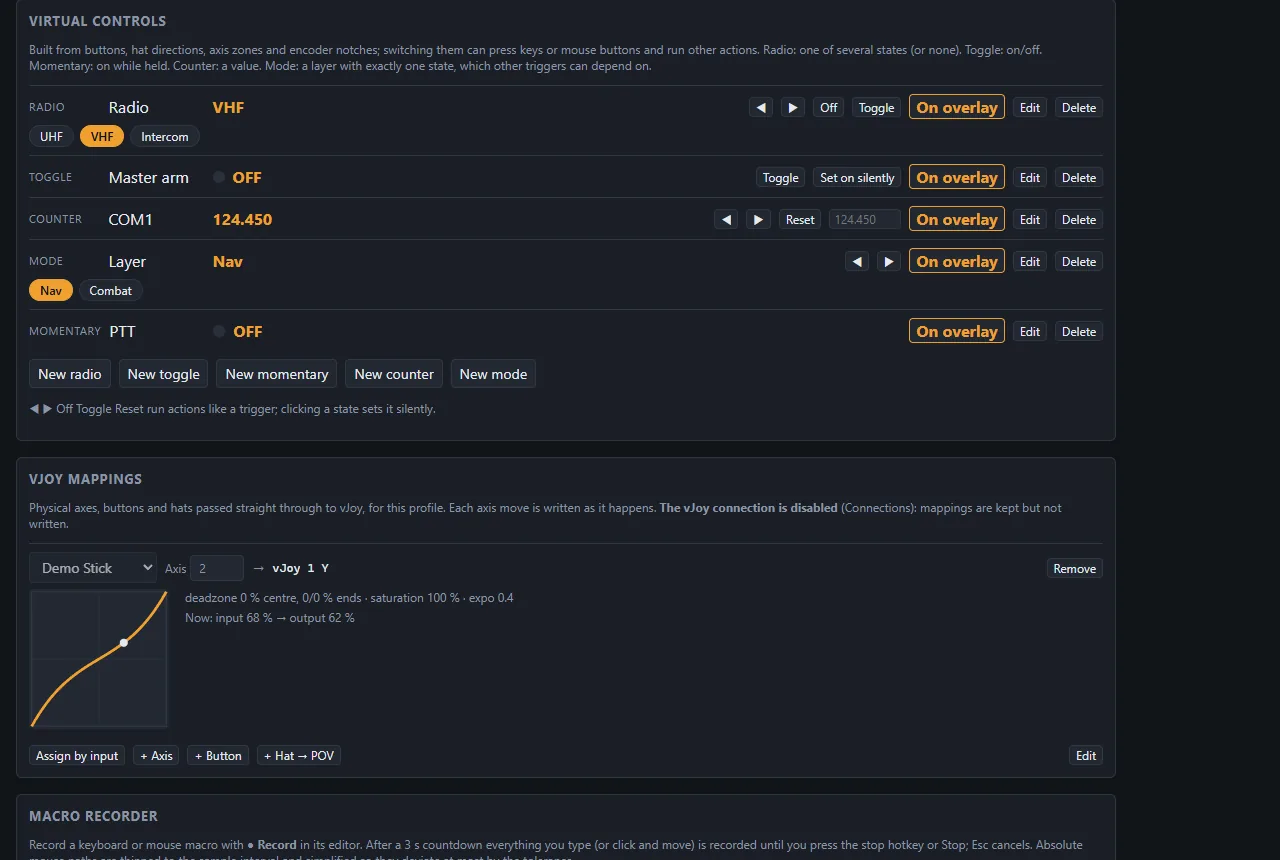
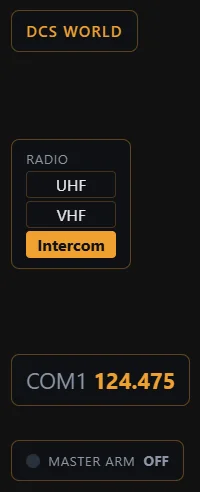
Trimcraft's Virtual Controls page: a radio with UHF, VHF and Intercom, a Master arm toggle, a COM1 counter at 124.450, a Nav/Combat mode and a push-to-talk momentary control, plus a vJoy axis mapping with its response curve Overlay widgets as they appear over a game: profile name, radio, COM1 counter and Master arm lamp

Everything between your stick and the sim

Trimcraft sits next to your game and turns buttons, hats, encoders and axes into the cockpit logic your sim doesn't have.

Virtual Controls

Radios, toggles, modes and counters from plain buttons

Build controls that remember their state: a radio with presets, a toggle, a momentary push-to-talk, a counter driven by a rotary encoder, or a mode that works as a layer or a shift.

  • Triggers from buttons, hat directions, encoder notches and axis zones
  • Press, release, long press and double press
  • Modifier buttons and “only when” conditions on modes
  • Learn a trigger by simply pressing the control
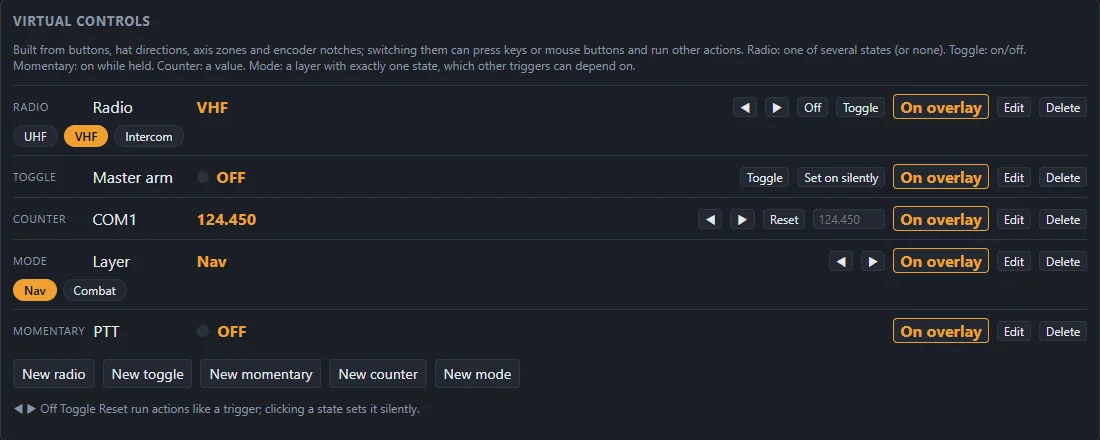
Virtual controls of a profile: radio, toggle, counter, mode and momentary control, each with an On overlay switch

Overlay

See your cockpit state without leaving the game

A transparent, click-through, always-on-top window over borderless and windowed games. It never steals focus from the sim.

  • Place every widget freely, per monitor and per profile
  • Toasts on changes and profile switches
  • Widgets that show only after a change, then fade out
  • Themes: Dark, Light, High contrast and HUD green, with your accent colour
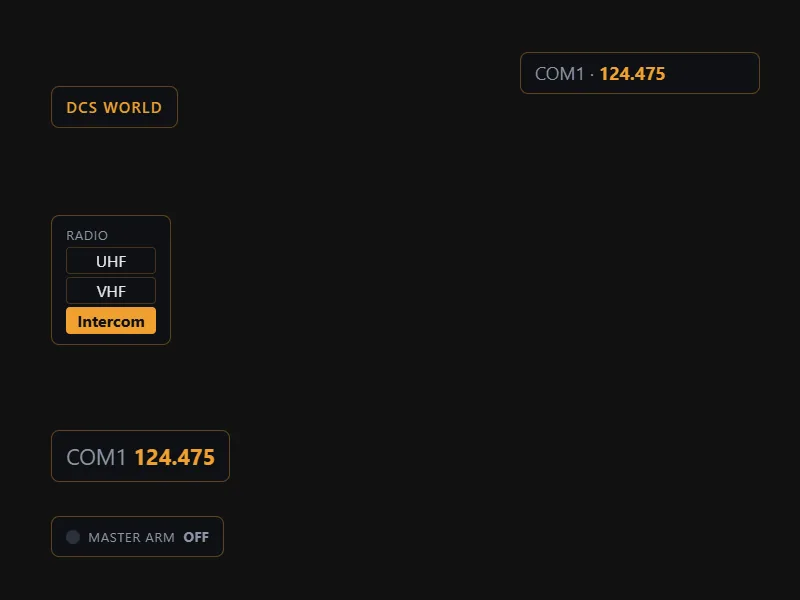
The overlay showing the profile name DCS World, a radio with Intercom active, a COM1 counter at 124.475, a Master arm lamp and a toast

Connections

Discord, Soundpad, Voicemeeter and vJoy

Control the tools around your sim from the stick, each with a live status and a test button.

  • Discord: mute, deafen and toggles that follow Discord's live state
  • Soundpad: play, stop or pick random sounds, on speakers or mic
  • Voicemeeter: gain and mute of strips and buses
  • vJoy output: virtual joysticks the game sees as ordinary controllers, fed from control states, axis mappings with curves and deadzones, and actions
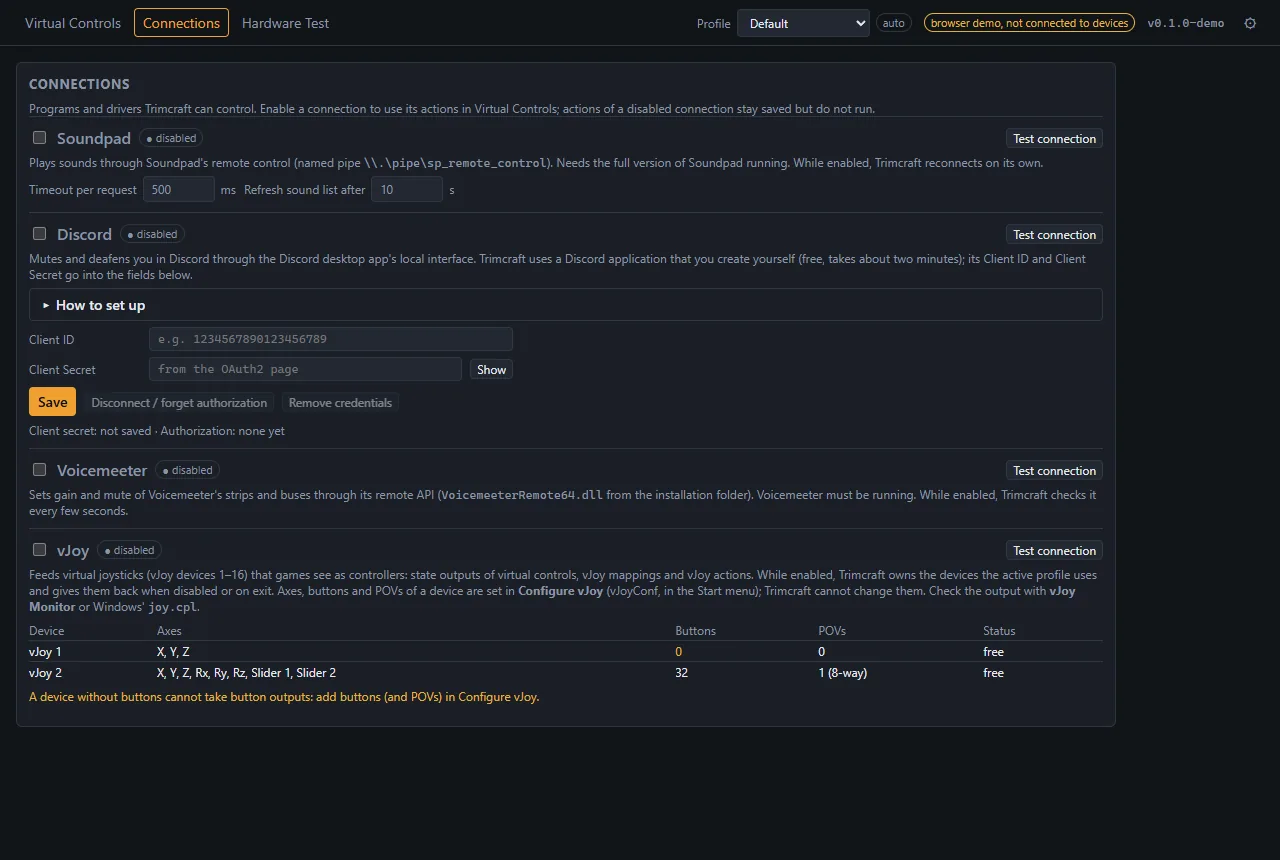
The Connections page with Soundpad, Discord with its setup guide, Voicemeeter, and vJoy with a table of its virtual devices

Hardware Test & diagnostics

Know exactly what your hardware sends

Every connected stick, throttle, pedal set and button box, live, with a stable identity across restarts and re-plugging, even for two units of the same model.

  • All axes, buttons and hats in real time
  • Rotary encoders detected by their pulses, with measured pulse lengths
  • An event log of every input, trigger, action and connection event, with filters
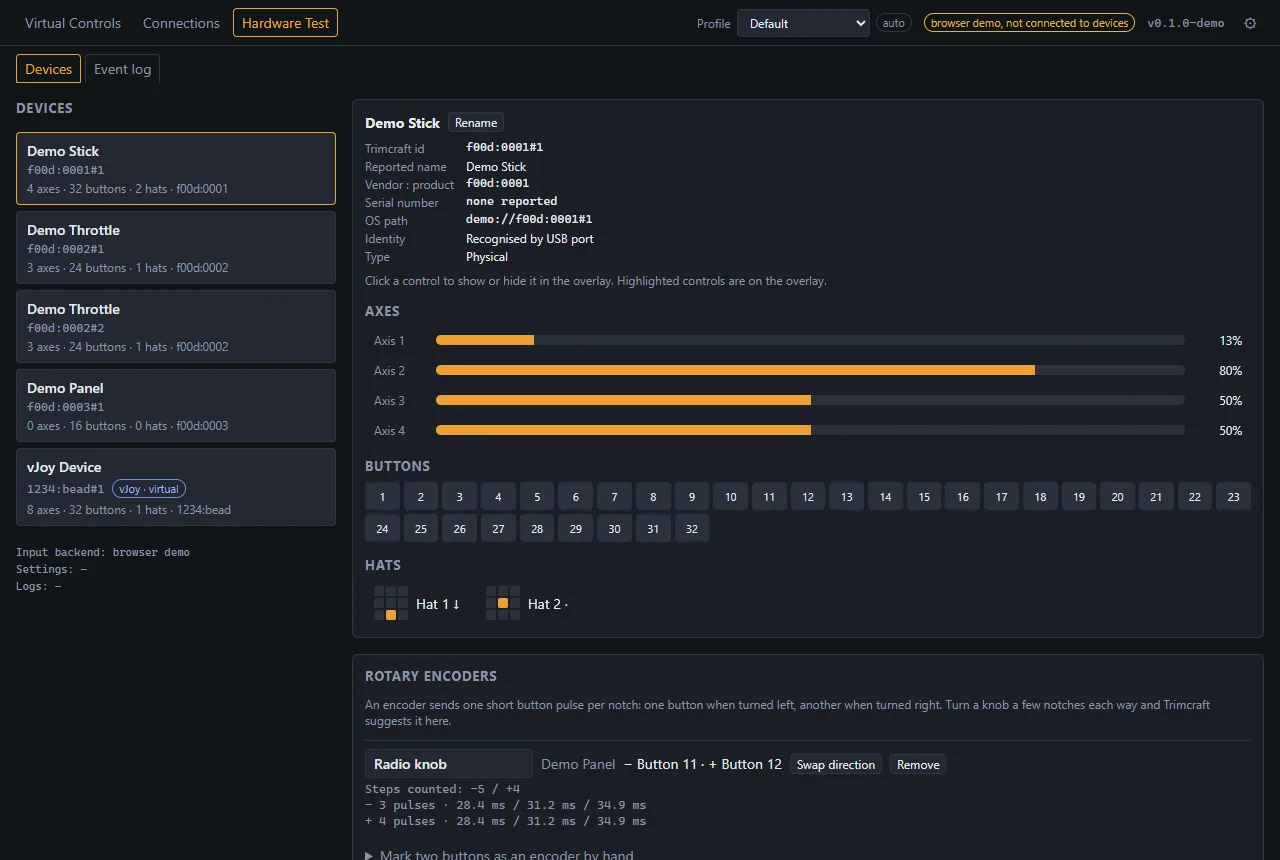
Hardware Test: a device list with sticks, throttles, a panel and a vJoy device, and live axes, buttons, hats and a rotary encoder of the selected stick

Screenshots show the built-in browser demo with made-up devices.

Actions

Every state change can run a chain of actions, in order or in the background:

  • Keyboard & mouse macros
  • Macro recorder
  • Repeat while held
  • Panic hotkey
  • Text to speech
  • Sound files
  • App & master volume
  • Media keys
  • Launch programs & URLs
  • HTTP webhooks
  • Profile switch

Profiles per game

Each game gets its own controls and overlay layout. Trimcraft switches automatically when the game comes to the front, and switching never fires actions.

Backups & export

Automatic backups with restore, and export or import of the whole setup or single profiles. Credentials are never exported.

Auto-update

Trimcraft checks for a new release on start (you can turn that off) and installs signed updates in one click.

Built for sim pilots

Works alongside any game

  • No injection, ever. The overlay is a separate window on top of the game. No DLLs, no graphics hooks, no reading or writing game memory.
  • Standard Windows input. Macros use ordinary simulated keyboard and mouse input, and vJoy creates virtual controllers. Some games and servers forbid macros: you are responsible for following each game's rules.
  • Safe by design. Stopping a macro releases every key it holds, and a panic hotkey stops everything at once.
  • Platforms. Currently Windows 10 and 11 (64-bit). Linux and macOS are planned.

The overlay works over games in windowed or borderless fullscreen mode.

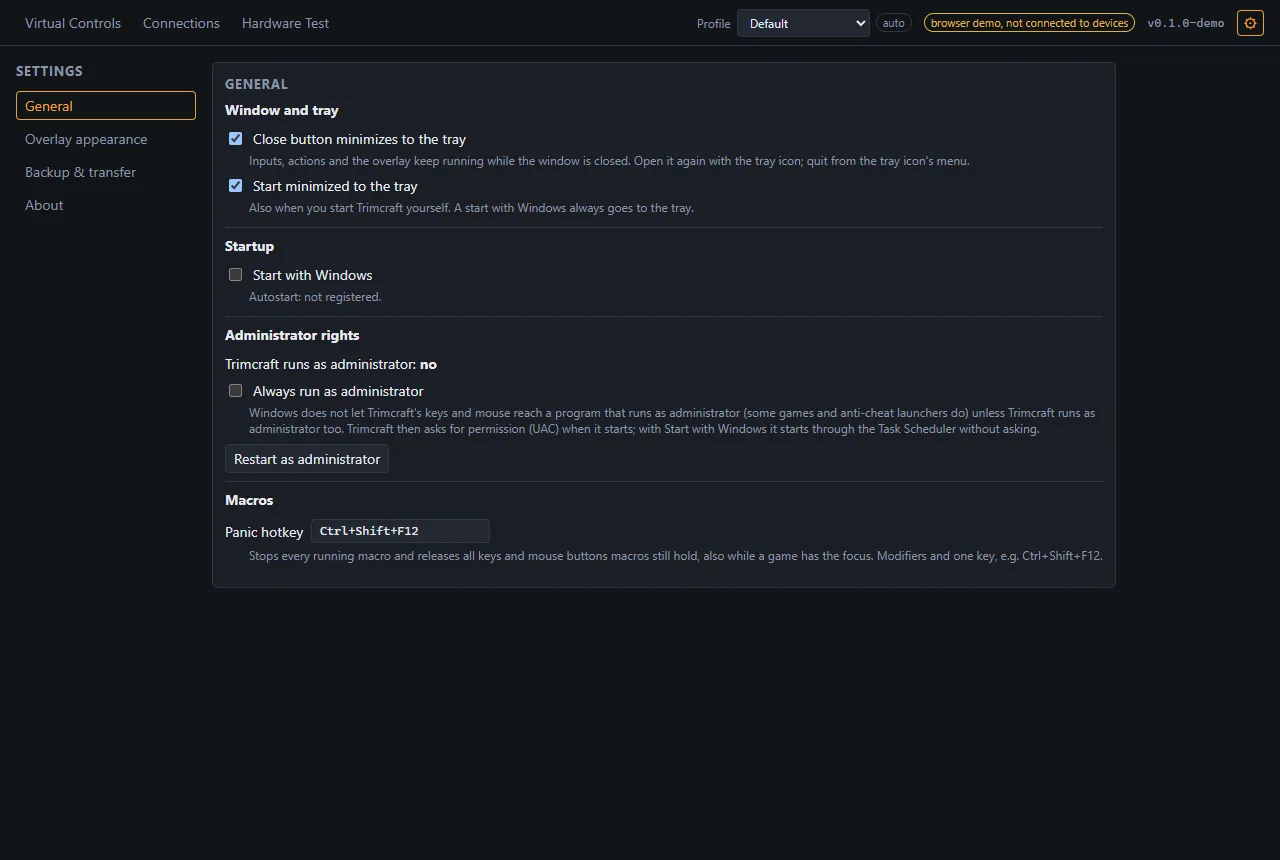
Settings, General: close to tray, start with Windows, always run as administrator, and the panic hotkey Ctrl+Shift+F12

Your setup stays on your computer

No telemetry, no accounts, no analytics. Everything is stored locally, and secrets go to the Windows Credential Manager. Trimcraft only goes online for what you set up yourself and for the update check, which you can turn off.

Code signing policy & network use